Your video. Your subtitles.
Translate available audio from videos, live streams, and meetings. Floating Picture in Picture captions stay visible when you switch apps.
Translate video audio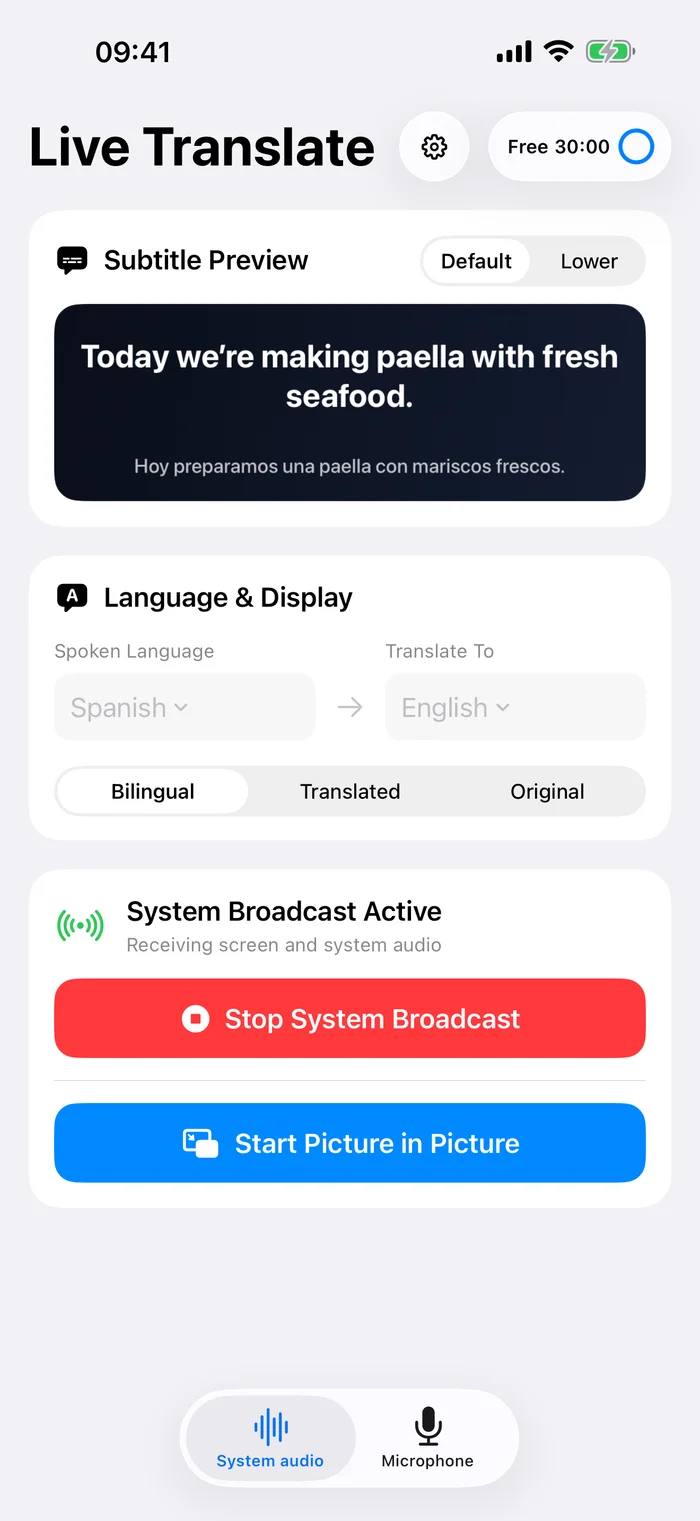
Live bilingual captions for videos and conversations.

Translate available audio from videos, live streams, and meetings. Floating Picture in Picture captions stay visible when you switch apps.
Translate video audioRead nearby speech as original text and a translation. Stop to save a session locally, then search your history or export text and PDF.
Explore microphone translation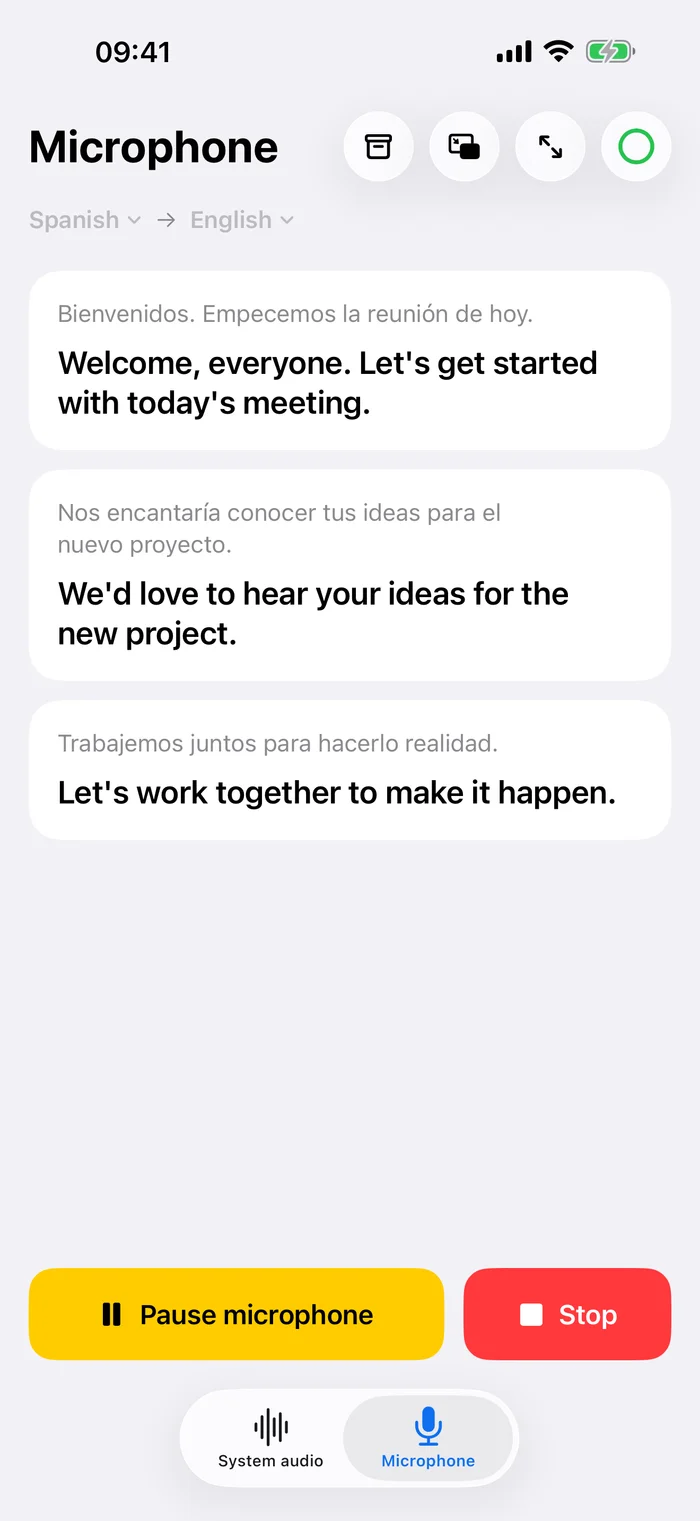
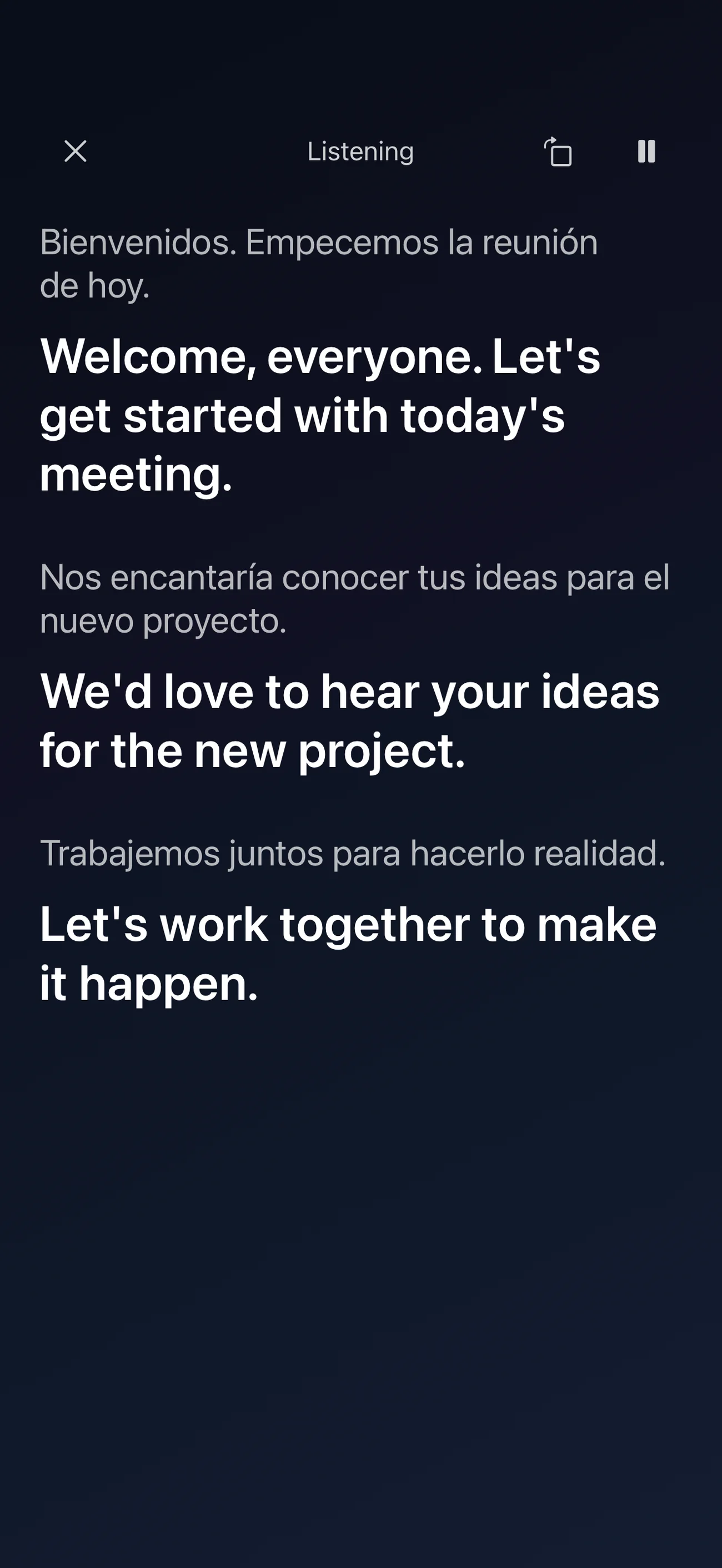
Open fullscreen captions in portrait or landscape. Keep both languages together, or show just the translation or original text.
Choose the spoken and translation languages. Download the required Apple-managed models before your first session.
For another app’s audio, start Picture in Picture and confirm the iOS system broadcast. For nearby speech, open Microphone.
Play audible speech or start a conversation. Read the original and translation as captions update.
Speech recognition and translation happen on your device. The app does not upload your audio, transcripts, or translated captions to our servers.
Read the privacy policyMicrophone sessions save text history locally, without saving an audio recording. You choose what to export.
Translate into supported languages including English, Spanish, Japanese, Korean, French, and Chinese.
Language models may need an initial download. Availability depends on Apple’s language support and your device.
Live Translate is available for iPhone and iPad running iOS or iPadOS 26.0 or later. Language support and performance depend on your device and Apple’s available speech and translation models.
It works with available system audio received through an iOS system broadcast. Some apps and protected content do not expose audio to screen broadcasting. The app cannot bypass those restrictions.
Live Translate transcribes and translates spoken audio. It does not translate arbitrary text, buttons, messages, or other content visible on your screen.
Transcription and translation can run on your device after the required language models are installed. Model downloads, online videos, live streams, purchases, and some Apple services still need a connection.
The app includes 30 minutes of free translation use. Optional weekly, annual, and lifetime access are available through the App Store. Current prices and terms are shown in the app before purchase.
When you stop microphone translation, the original text and translations are saved in local history. You can search, delete, and export those records. Audio is not saved. System-audio captions are for live viewing.
Follow videos and live streams in another language, with translated captions alongside the original speech.
Keep a translation in view while switching apps, watching a lecture, or following a live stream.
Read live speech in your language, then revisit a locally saved transcript and translation.
Understand which parts run locally, what needs a download, and what still requires a connection.
Try your first 30 minutes free.
Download on the App Store